
Tools & Productivity
Universal File Viewer for Windows: Open 400+ Formats Fast
How to open unfamiliar file types on Windows without buying full software suites, what a universal file viewer actually does, and how to judge one before you pay.
Independently researchedNo paid placementsEvery recommendation is disclosed
Key highlights
This guide covers what a universal file viewer does, the seven things to judge before paying for one, where File Viewer Plus fits, what the free options cover, and how to test a viewer properly with your own files.
Key highlights
- 1A universal file viewer opens unfamiliar formats without installing the original software.
- 2Format coverage only counts if it includes the extensions you actually receive.
- 3Conversion and batch processing save more time than viewing alone.
- 4File Viewer Plus is the best known Windows-specific option in this category.
Some links on this page are affiliate links. If you sign up through them we may earn a commission at no extra cost to you.
Read more about who publishes this on the publisher profile.
Chapter 01 · The bottom line
The short answer
A universal file viewer opens unfamiliar file types on Windows without installing the original program, and lets you read, inspect, print, and convert them. Judge one on whether it covers the formats you actually receive, how accurately it renders them, and whether it can convert in batches.
Chapter 02 · How it works
Practical guide
You have been sent a file and Windows does not know what to do with it. Maybe it is a design file from a client, a camera raw photo, a database export, an old spreadsheet format, or an archive with an extension you have never seen. The usual answer is to install the full program that made it, which often means a subscription you only need for five minutes.
A universal file viewer solves that problem differently. Instead of recreating the original software, it decodes the file and shows you the contents, so you can read it, print it, copy from it, and convert it to something ordinary. For anyone who receives files from clients, suppliers, or colleagues all day, it removes one of the most persistent small frictions in digital work.
Check the viewer against the extensions you personally receive, not the advertised format count.
Related reading: Build a Website Without Code: Launch in One Weekend
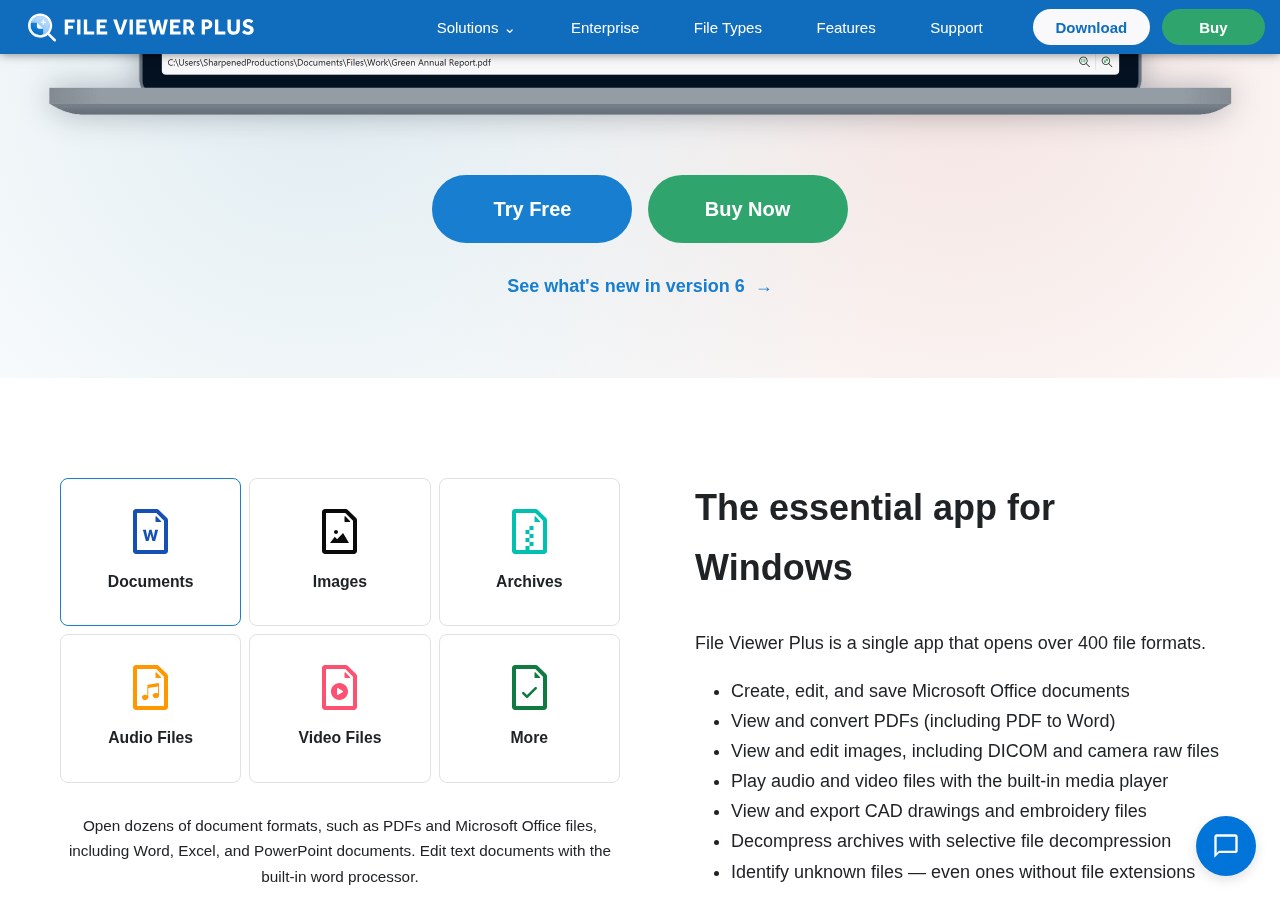
What a universal file viewer actually does. It reads the internal structure of a file and renders it, rather than launching the application that created it. Good viewers cover documents, spreadsheets, presentations, images including camera raw formats, vector artwork, audio and video, archives, email files, and plain-text or code files. They typically add a text mode and a hex mode so that even an unrecognised file can be inspected rather than guessed at.
They are not editors, and that distinction matters. A viewer is for opening, reading, checking, printing, and converting. If your day involves changing the file and sending it back with full fidelity, you still need the native application. If your day involves receiving files, checking what is inside them, and passing on a usable copy, a viewer is usually all you need.
The first thing to judge: real format coverage. Every product advertises a large number. The number matters far less than whether it covers the formats you personally receive. Before you pay for anything, spend ten minutes going through your downloads folder and your last month of email attachments and write down the extensions that gave you trouble. Then check those specific extensions against the format list. A viewer that opens 400 formats but not the one your biggest client sends is worth nothing to you.
The second thing to judge: rendering fidelity. There is a wide gap between a viewer that displays a document and one that displays it correctly. Fonts substitute, layout reflows, embedded images drop, spreadsheet formulas show as values or as errors, and camera raw files can come out with the wrong colour profile. Test with a file where you already know what the correct output looks like, and compare page by page.
The third thing to judge: conversion and export. Viewing is only half the job. The moment that saves real time is being able to save the awkward file as PDF, or the raw image as JPEG, or the obscure spreadsheet as CSV, so that the rest of your workflow can handle it. Check which output formats are supported, whether conversion keeps layout intact, and whether you can convert several files at once rather than one at a time.
The fourth thing to judge: batch handling. If you regularly receive folders rather than single files, the difference between processing one file at a time and processing a hundred in one pass is the difference between a tool you use and a tool you forget about. Look for batch conversion, folder browsing, and the ability to queue work while you do something else.
The fifth thing to judge: weight and behaviour on your machine. The whole point of a viewer is avoiding heavy installs. Check the installed size, how fast it opens a large file, whether it loads at startup, whether it takes over file associations without asking, and whether it works offline. A viewer that quietly becomes the slowest thing on your computer has defeated its own purpose.
Related reading: AI Tools for Business: Get Useful Output, Not Filler

The sixth thing to judge: file inspection and metadata. Professionals often need more than the visible content. Being able to see the properties, the creation history, the embedded metadata, the raw text layer, and a hex view is what turns a viewer into a diagnostic tool. It is how you work out whether a file is corrupt, what produced it, and whether it contains information you should strip before forwarding it.
The seventh thing to judge: licensing and cost model. A one-off licence for a desktop utility behaves very differently from a subscription. Check whether the licence covers one machine or several, whether upgrades to future versions are included, whether there is a trial long enough to test your real files, and whether there is a refund window. For a utility you will keep for years, a perpetual licence is often the cheaper path.
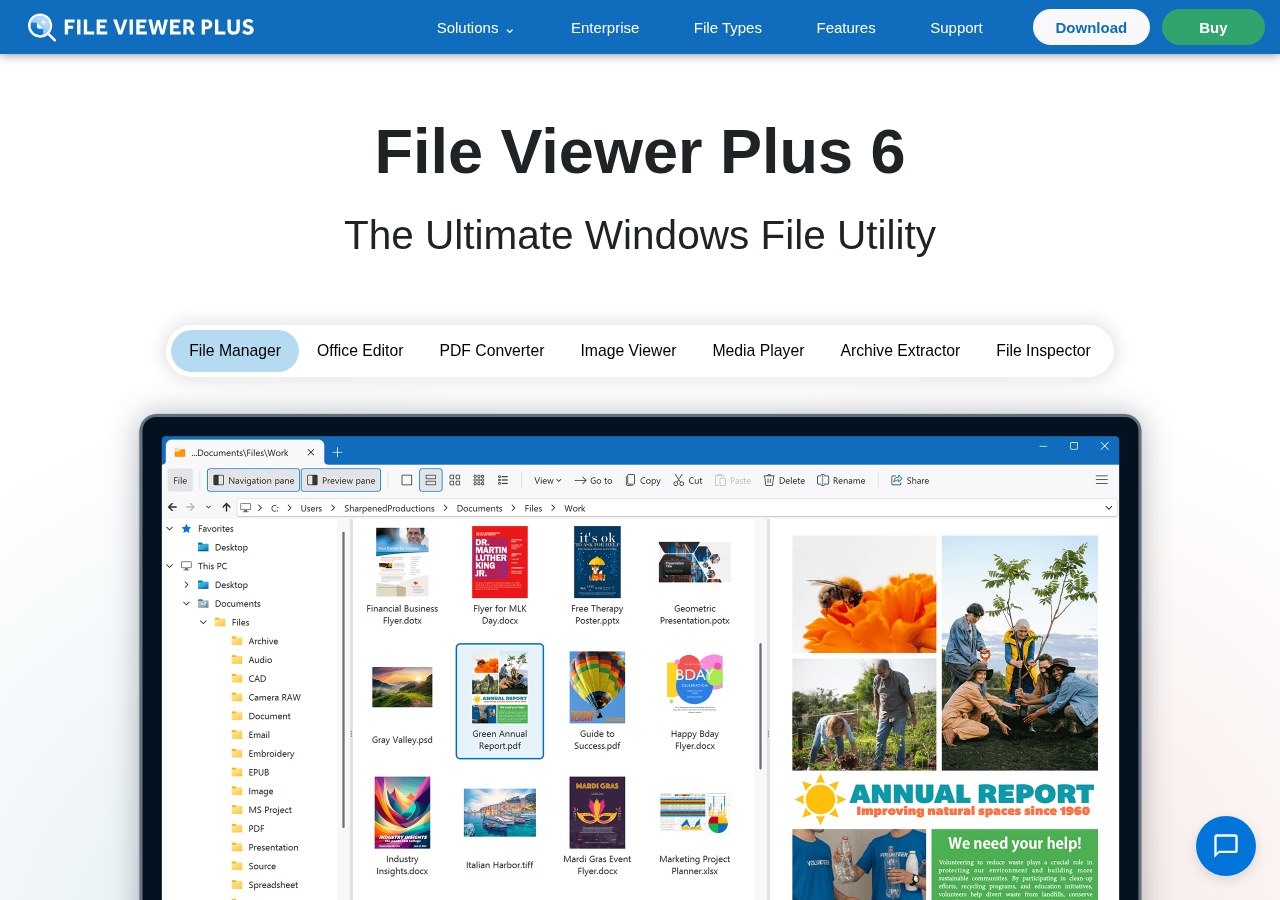
Where File Viewer Plus fits. File Viewer Plus is one of the best known universal file viewers built specifically for Windows. It is designed around the exact scenario above: opening a wide range of document, image, media, archive, and data formats in one application, inspecting what is inside, and saving the contents out to a common format you can actually use. It includes a text view and a hex view for unrecognised files, and conversion tools for moving files into ordinary formats. Pricing, format lists, and licence terms are set by the publisher and change from time to time, so check the current details on their own site before buying.
The free options and where they stop. Windows itself opens more than people assume: Photos handles common images, Edge opens PDFs, Notepad opens anything as text, and the built-in archive support handles ZIP. Free third-party tools cover specific corners well, such as media players that play almost any codec, or image viewers that handle camera raw. The gap is breadth and conversion. Free tools tend to be excellent at one category and absent in the others, which leaves you with a collection of programs and no single place to drop an unknown file.

A practical way to decide. Work out how often an unfamiliar file actually stops you. If it happens once a quarter, a free tool and five minutes of searching is the right answer. If it happens weekly, the arithmetic changes quickly: a single hour recovered pays for most desktop utilities outright, and the reduction in friction when a client sends something odd is worth more than the licence.
How to test before you commit. Install the trial. Take five files you have genuinely struggled with, not sample files supplied by the vendor. Open each one and check the rendering against what you know it should look like. Convert two of them to PDF or CSV and check the result properly. Run a batch of at least twenty files. Then look at how your machine feels afterwards. If all four steps pass, you have found your tool.
Related reading: One-Person Business Software: The Lean Minimum Stack
A short note on safety. Unknown files from unknown senders are a security matter, not just a compatibility one. Do not open attachments you were not expecting, keep Windows and your viewer updated, and use the text or hex view rather than the full renderer when you simply need to know what a suspicious file contains. A viewer reduces the temptation to install random software to open a single file, which on its own removes a common route to trouble.
What good looks like in practice. A file arrives in a format you do not recognise. You double-click it, it opens in a few seconds, you read what you need, you save a PDF copy for the person who asked, and you move on. No install, no subscription, no searching for what makes that extension. That is the entire value proposition, and it is why this small category of software keeps earning its place on working machines.
Chapter 03 · What matters most
Key takeaways
- Check the viewer against the extensions you personally receive, not the advertised format count.
- Rendering accuracy matters more than breadth — test with files whose correct output you already know.
- Conversion and batch processing are where the time is actually saved.
- A perpetual desktop licence is often cheaper than a subscription for a tool you keep for years.
Watch out for: promises that remove every trade-off, cost or risk from the decision.
Practical steps
- List the file extensions that have blocked you in the last month.
- Check those exact extensions against the viewer's format list.
- Install the trial and open five of your own problem files.
- Convert two of them and compare the output against the original.
- Run a batch of twenty files and check speed and machine load.
People also viewed
Top 3 in this niche, compared
Our editorial shortlist for tools & productivity, ordered by how often it is the right first choice for a beginner. This is our own ranking, not a scored test — check current pricing and availability on each provider’s own site.
- 1
Domain and hosting — pick speed and support over the cheapest first year.
Who it is for: hosting a site you own outright. Not for: a page you can publish on a free builder.
Position 1 of 3 in our shortlist · best for hosting a site you own outright
Visit Kinsta - 2
Domain and hosting — pick speed and support over the cheapest first year.
Who it is for: hosting a site you own outright. Not for: a page you can publish on a free builder.
Position 2 of 3 in our shortlist · best for hosting a site you own outright
Visit WP Engine - 3
Domain and hosting — pick speed and support over the cheapest first year.
Who it is for: hosting a site you own outright. Not for: a page you can publish on a free builder.
Position 3 of 3 in our shortlist · best for hosting a site you own outright
Visit Hostinger
Kinsta vs WP Engine
The two choices most people in tools & productivity end up deciding between.
Kinsta
- Type:
- Desktop tool
- Best for:
- hosting a site you own outright
- Not for:
- a page you can publish on a free builder
- Why we list it:
- Domain and hosting — pick speed and support over the cheapest first year.
WP Engine
- Type:
- Desktop tool
- Best for:
- hosting a site you own outright
- Not for:
- a page you can publish on a free builder
- Why we list it:
- Domain and hosting — pick speed and support over the cheapest first year.
When Kinsta is the better choice
Choose Kinsta when your main job is hosting a site you own outright. Skip it if you are a page you can publish on a free builder.
When WP Engine is the better choice
WP Engine makes more sense when the priority is hosting a site you own outright. It is not the right pick for a page you can publish on a free builder.
Alternatives to Kinsta
Some links here are partner links — if you sign up we may earn a commission at no extra cost to you. How we review and recommend.
Recommended tools and apps
A short, honest shortlist: desktop tools you set up once, and phone apps you can use on the move. We keep the list small on purpose.
Some links below are partner links — if you sign up we may earn a commission at no extra cost to you. It never changes what we recommend. How we review and recommend.
- SiteGroundDesktop tool
Domain and hosting — pick speed and support over the cheapest first year.
- Best for
- hosting a site you own outright
- Not for
- a page you can publish on a free builder
- A2 HostingDesktop tool
Domain and hosting — pick speed and support over the cheapest first year.
- Best for
- hosting a site you own outright
- Not for
- a page you can publish on a free builder
- NexcessDesktop tool
Domain and hosting — pick speed and support over the cheapest first year.
- Best for
- hosting a site you own outright
- Not for
- a page you can publish on a free builder
- GustoPhone app
Invoicing, books and payroll — set up before tax time, not during.
- Best for
- day-to-day work that keeps a small business moving
- Not for
- a solo project that a notebook already handles
Availability, pricing and eligibility change — always check on the provider’s own site. See every brand we recommend.
Recommended from Akacen
Related product guides

Genius Song
A plain-language review of the audio program for daily concentration.

Last Wish
A plain-language review of planning and organising personal wishes.
Tools used in this guide
Chapter 04 · Before you decide
Decision checklist
Three checks to make before acting on this guide.
| Check | What good looks like |
|---|---|
| Format coverage | Opens the specific extensions you receive, not just a large advertised total |
| Rendering fidelity | Fonts, layout, images, and colour match the original |
| Conversion | Saves out to PDF, JPEG, CSV, or other ordinary formats without breaking layout |
Verdict: start with the smallest reversible version, then expand using real results.
Do this next
Your next steps
- 1List the file extensions that have blocked you in the last month.
- 2Check those exact extensions against the viewer's format list.
- 3Install the trial and open five of your own problem files.
- 4Convert two of them and compare the output against the original.
- 5Run a batch of twenty files and check speed and machine load.
Chapter 05 · Questions answered
Common questions
What is a universal file viewer?
Software that decodes and displays many different file formats without needing the original program that created each one. It is for reading, inspecting, printing, and converting, not for full editing.
Is a good file viewer for Windows worth paying for?
If unfamiliar files block you weekly, yes — one recovered hour usually covers the licence. If it happens a few times a year, free tools and built-in Windows apps are enough.
Which one should I look at first?
File Viewer Plus is the best known Windows-specific option and covers documents, images including camera raw, media, archives, and data files in one place, with text and hex views for unknown formats.
Can a viewer replace the original software?
Not for editing. It replaces the need to install the original software when you only need to open, check, print, or convert the file.
Is it safe to open unknown files?
Only open attachments you were expecting. For anything suspicious, use a text or hex view rather than the full renderer, and keep Windows and the viewer updated.
Chapter 06 · Final verdict
Final thoughts
The value of a file viewer is not the format count on the box — it is never being stopped by a file again.
Spend ten minutes listing the extensions that have blocked you, test a trial against those exact files, and you will know within an afternoon whether it earns its place.
Keep reading
What to do next
Pick the smallest useful step from this guide and complete it before adding another tool or plan.
Related guides
Akacen editorial team
Independent, practical publishing
Akacen covers online business, money, security and software. Guides combine careful research with practical checks, clearly marked partner links and no paid rankings.
About AkacenHow we reviewContactYouTubePinterestInstagramTikTok
Some links on this page are affiliate links. If you sign up through them we may earn a commission at no extra cost to you.
Read more about who publishes this on the publisher profile.